One of the easiest ways to store your passwords and passkeys is within your browser—but you may not give much thought to how to find them within Chrome, since it’ll autofill your credentials whenever you need to log into a site.
If you need to look up a particular password, it takes just a few quick clicks to access them directly. Here’s how to locate them—and how to access all the different settings related to them.
(Spoiler: You may need to use both methods to fully configure Google’s password storage to your liking).
Method 1: Look within Chrome
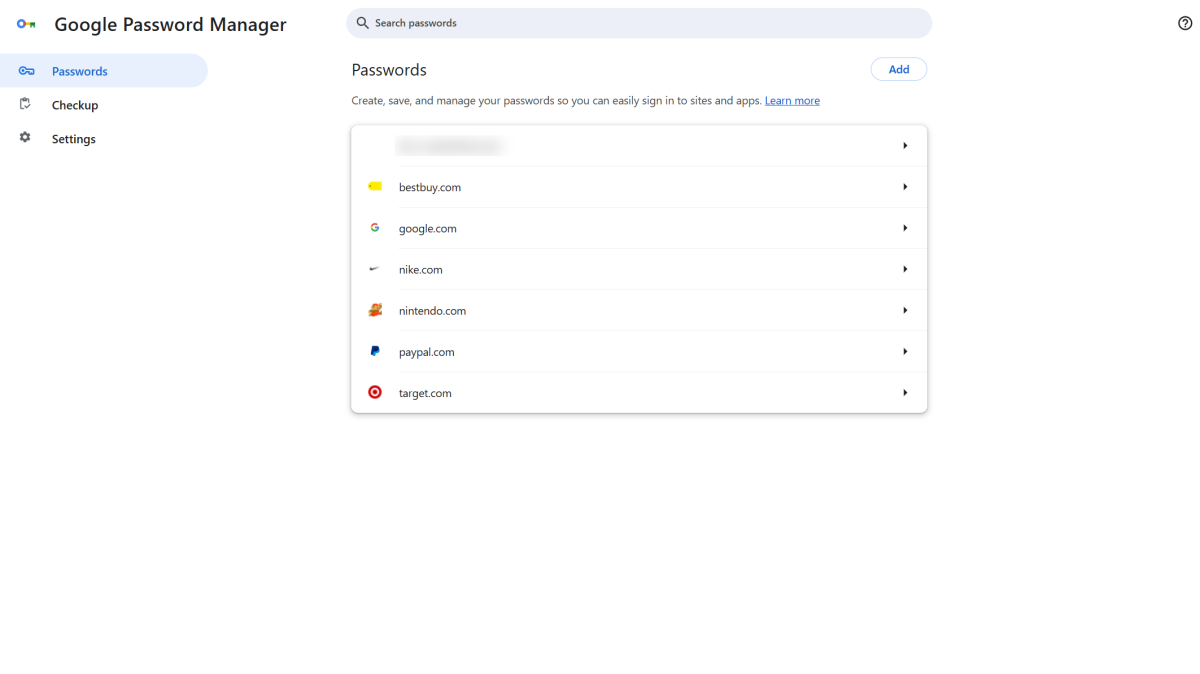
You have a couple of ways to get to your passwords within Chrome. On a PC, the fastest method is entering chrome://password-manager/passwords into the address bar of your browser tab.
If for some reason that doesn’t work, click on the three-dot menu in the upper right of the screen, then choose Settings > Autofill & Passwords > Google Password Manager.
On mobile devices, look for the three-dot menu at the bottom of the screen, then head to Settings > Google Password Manager (Android) or straight to Google Password Manager (iOS).
Tip: For extra protection on PC, head to the settings and turn on use of Windows Hello as extra defense against unauthorized access to your passwords.
Method 2: Visit the Google Password Manager site
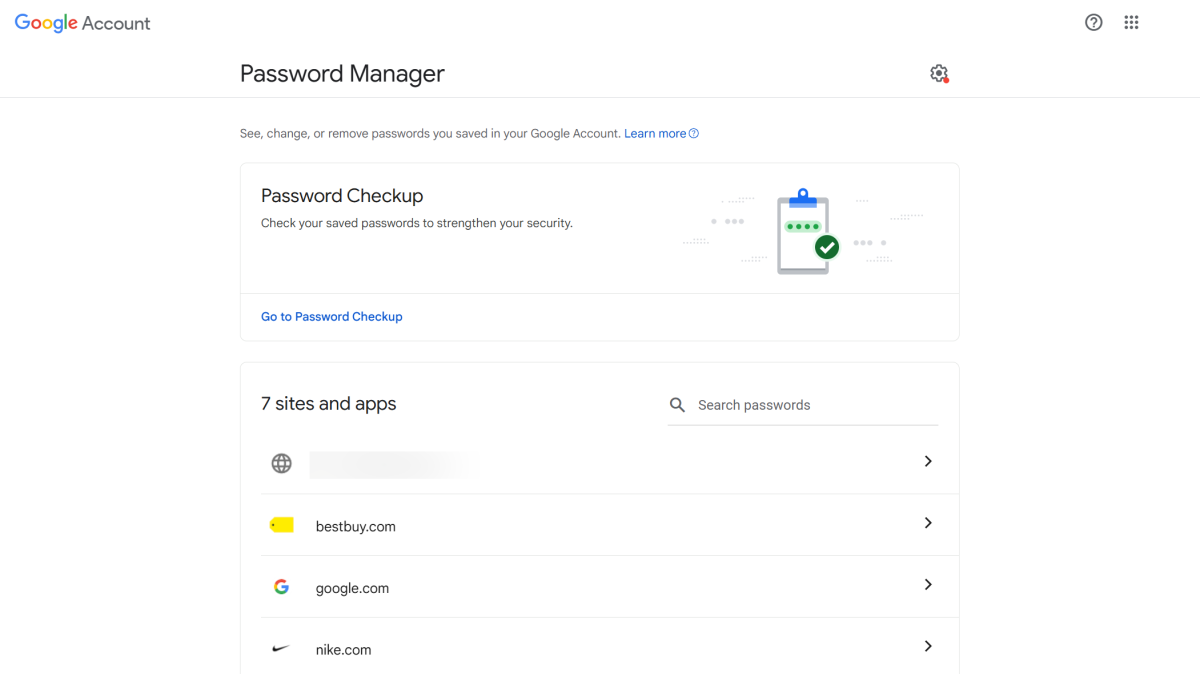
Chrome isn’t the only place you can find passwords saved to your Google account. You can also navigate to https://passwords.google.com/ to access them.
This alternative method is useful if you don’t use Chrome often, might be switching soon due to coming incompatibility with ad-blockers), or don’t quite like the browser interface.
You can also access one setting not found within Chrome—Password Alerts, which notify you if any saved passwords are found circulating online (and thus compromised). It’s enabled by default, which most people should leave as-is, but on the off-chance you need to turn it off, you’ll find it here.
10 Comments
https://www.senaninews.com/ · 30/01/2026 at 5:42 AM
Hey there! I realize this is somewhat off-topic however
I needed to ask. Does managing a well-established website
like yours take a large amount of work? I’m brand new to running
a blog however I do write in my diary everyday. I’d like to start a blog so I can share my
personal experience and feelings online. Please let me know if you have any recommendations or tips for new
aspiring bloggers. Appreciate it!
sites.google.com · 30/01/2026 at 11:50 AM
Hi there! I just want to give you a big thumbs up for the excellent information you
have got right here on this post. I am coming back to your web site for more soon.
johny · 08/04/2026 at 3:36 PM
Thank you. Let us know if you have any topic you like us to cover.
Rhea · 31/01/2026 at 5:50 AM
Can you tell us more about this? I’d like to find out
some additional information.
sites.google.com · 01/02/2026 at 11:46 PM
Thank you for any other informative site. The
place else could I am getting that type of info written in such
an ideal manner? I’ve a mission that I am just now operating on, and I’ve been at the glance out
for such info.
슬롯커뮤니티 · 03/02/2026 at 3:02 PM
Hello, i read your blog from time to time and i own a similar one and i was just wondering if you get a
lot of spam feedback? If so how do you protect against it, any plugin or
anything you can recommend? I get so much lately it’s driving
me insane so any assistance is very much appreciated.
johny · 08/04/2026 at 3:36 PM
We do get a lot of spam, but it is part of the success…
Rajpur · 02/03/2026 at 8:13 PM
Undeniably believe that which you said. Your favorite reason seemed
to be on the web the simplest thing to be aware of.
I say to you, I certainly get annoyed while people think about worries that they just do not know about.
You managed to hit the nail upon the top as well as defined
out the whole thing without having side effect , people can take a signal.
Will probably be back to get more. Thanks
johny · 08/04/2026 at 3:35 PM
Thanks
Katwaria Sarai Girl · 07/03/2026 at 11:49 PM
Thanks for the good writeup. It in fact was a entertainment account it.
Look complicated to more added agreeable from you!
However, how could we communicate?