Apple Pay vs. Google Pay

Apple Pay vs. Google Pay (Google Wallet): Comprehensive Comparison

What Each Service Is Apple PayLaunched in 2014, Apple Pay is Apple’s proprietary digital wallet and contactless payment system integrated deeply into Apple’s ecosystem (iPhone, Apple Watch, iPad, Mac). It functions as both a payment method and a digital wallet for storing cards, passes, tickets, and keys. As of 2025, Apple Pay has approximately 65.6 million active users in the U.S. and roughly 659 million global users with about 24% market share worldwide. nchstats.com electroiq.com Read more

robot butlers operated by remote workers

What Exactly Is AI? (No, It Won’t Take Over the World… Yet)

You’ve heard the term everywhere: AI writes poems, drives cars, and—according to some headlines—will soon replace humanity. But strip away the sci-fi hype, and artificial intelligence is far more mundane (and useful) than you think. AI isn’t about robots with feelings. It’s simply software that learns patterns from data to make decisions or predictions. Think of it like teaching a child to recognize dogs: That’s AI in a nutshell—just with math instead of a toddler. Read more

Logitech MK270 - Wireless Keyboard and Mouse Combo

Wireless Keyboards and Mice: Advantages and Disadvantages in 2026

Gone are the days of tangled cables snaking across your desk. Today, wireless keyboards and mice dominate the market—offering sleek setups, flexible positioning, and minimalist aesthetics. But are they right for you? While wireless peripherals have improved dramatically in recent years, they still come with trade-offs. Let’s break down the real pros and cons to help you decide if going cord-free is worth it. Advantages of Wireless Keyboards and Mice ✅ 1. Clean, Clutter-Free Workspace Read more

Help for Your Home Office

Getting Help for Your Home Technology and Small Office: How to Choose the Right Company

When your Wi-Fi stops working, your printer jams during a deadline, or your smart home system goes haywire, you need reliable help—fast. But not all tech support companies are created equal. Some offer expert, honest service; others overcharge, upsell unnecessary fixes, or vanish after one visit. In 2026, with hybrid work, smart homes, and cloud-based tools blurring the line between personal and professional tech, choosing the right support provider is more important than ever. Here’s Read more

Different Kinds of SSDs

Capacity or Speed? What Really Matters When Choosing an SSD in 2026

You’re shopping for a new SSD. The specs flash by: 1TB, 4TB… 3,500 MB/s, 7,000 MB/s… PCIe 4.0, PCIe 5.0. It’s tempting to chase the fastest number—but is raw speed really what you need? Or would you be better off with more storage space? The truth is: for most users, capacity matters far more than peak speed. But the right choice depends entirely on how you use your computer. Let’s break it down so you Read more

Troubleshooting Tips If You Can’t Connect to the Internet

Troubleshooting Tips If You Can’t Connect to the Internet

You’re trying to join a video call, send an urgent email, or just check the news—and suddenly, nothing loads. The Wi-Fi icon shows full bars, but every webpage says “No internet.” Don’t panic. In most cases, the fix is simpler than you think. Whether you’re on a laptop, phone, or smart TV, this step-by-step guide will help you diagnose and resolve the most common internet connection issues—fast. Step 1: Confirm It’s Really “No Internet” (Not Read more

TCP vs UDP essentials

TCP vs. UDP: What’s the Difference—and When Does It Matter?

When you stream a video, send a message, or load a webpage, your data travels across the internet using one of two core protocols: TCP or UDP. Both move information from point A to point B—but they do it in fundamentally different ways, each with trade-offs. Understanding the difference helps you troubleshoot buffering, lag, and connection issues—and appreciate why certain apps behave the way they do. Let’s break it down in simple terms. TCP: The Read more

Network Troubleshooting Test Flow: A Step-by-Step Guide to Fixing Connectivity Issues

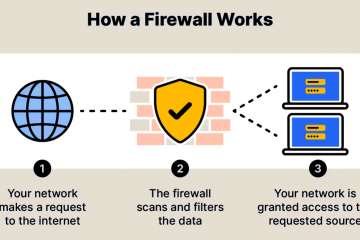
When your internet stops working, it’s easy to panic—especially if you’re on a deadline or in the middle of a video call. But most network problems follow predictable patterns. With a clear, logical test flow, you can diagnose and fix 90% of issues yourself—no IT degree required. This guide walks you through a proven troubleshooting sequence used by professionals. Follow these steps in order to isolate the problem quickly and avoid wasting time on guesswork. Read more

USB virus

Can You Virus-Proof Your USB Flash Drive? Here’s How to Protect It (and Your Computer)

USB flash drives are incredibly convenient—but they’re also one of the most common ways malware spreads. From infected public computers to borrowed drives from friends, a single plug-in can unleash viruses, ransomware, or spyware onto your system. So, can you virus-proof a USB drive? Not 100%—but you can make it highly resistant and drastically reduce your risk. Here’s how. Why USB Drives Are Vulnerable USB drives are targeted because: The good news? Modern systems and Read more

Drives in a drawer

Leaving USB Drives and Hard Drives in a Drawer Kills Them: The 3 Rules of Cold Storage

You’ve backed up your photos, documents, or business files to a USB flash drive or external hard drive—and tucked it into a drawer “for safekeeping.” Months or years later, you plug it in… and nothing works. Files are corrupted. The drive isn’t recognized. Your data is gone. This isn’t rare—it’s expected. Digital storage devices aren’t designed to sit idle forever. In fact, leaving them unpowered in a drawer is one of the fastest ways to Read more